
Rindis.com

All my hobbies, all the time
  • Home
  • My Blog
  • Games
  • History

Categories

  • Books (503)
  • Comics (10)
  • Gaming (917)
    • Boardgaming (673)
      • ASL (154)
      • CC:Ancients (83)
      • F&E (78)
        • BvR – The Wind (26)
        • Four Vassal War (9)
        • Konya wa Hurricane (17)
        • Second Wind (5)
      • SFB (78)
    • Computer games (162)
      • MMO (77)
    • Design and Effect (6)
    • RPGs (66)
      • D&D (25)
        • O2 Blade of Vengeance (3)
      • GURPS (32)
  • History (10)
  • Life (82)
    • Conventions (9)
  • News (29)
  • Technology (6)
  • Video (49)
    • Anime (47)
  • Writing (1)

Patreon

Support Rindis.com on Patreon!
Become a patron at Patreon!

Other blogs:

RSS Inside GMT

  • Coast Watchers – Session Report – “The Airfield” June 5, 2026

RSS Playing at the World

  • Playing at the World 2E V2 Arrives May 5, 2025

RSS Dyson’s Dodecahedron

  • Cyberstyle 8.4 June 6, 2026

RSS Quest for Fun!

  • The Expense Post May 24, 2026

RSS Bruce Heard and New Stories

  • Pain, Exhaustion, and Morale in D&D BECMI June 7, 2026

RSS Chicago Wargamer

  • The 2 Half-Squads - Episode 310: Cruising Through Crucible of Steel January 27, 2023

RSS CRRPG Addict

  • BRIEFs: Black Crystal (1982), Creepers (1982), Chitei Tanken (1982) June 8, 2026
SF&F blogs:

RSS Fantasy Cafe

  • The Leaning Pile of Books May 24, 2026

RSS Lynn’s Book Blog

  • Booking Ahead/Weekly Wrap Up June 7, 2026
ASL blogs:

RSS Sitrep

  • Cardinal ASL Sins March 18, 2026

RSS Hong Kong Wargamer

  • FT114 Yellow Extract After Action Report (AAR) Advanced Squad Leader scenario April 16, 2025

RSS Hex and Violence

  • This still exists? March 25, 2025

RSS Grumble Jones

  • AAR Slides for Schwerpunkt SP96 Husum Hotfoot June 5, 2026

RSS Desperation Morale

  • How to Learn ASL March 16, 2025

RSS Banzai!!

  • October North Texas Gameday October 21, 2019

RSS A Room Without a LOS

  • [Crossing the Moro CG] T=0902 -- Rough start July 18, 2015
GURPS blogs:

RSS Dungeon Fantastic

  • Felltower House Rules Examined June 7, 2026

RSS Gaming Ballistic

  • B-Scale: Damage That Scales from Tardigrades to Kaiju June 5, 2026

RSS Ravens N’ Pennies

RSS Let’s GURPS

  • Review: GURPS Realm Management March 29, 2021

RSS No School Grognard

  • It came from the GURPS forums: Low-Tech armor and fire damage January 29, 2018

RSS The Collaborative Gamer

  • Thoughts on a Town Adventures System January 18, 2022

RSS Don’t Forget Your Boots

  • GURPS Supers Newport Academy #6: “Old Friends, New Again” June 7, 2026

RSS Orbs and Balrogs

  • Bretwalda - Daggers of Oxenaforda pt.4 - Fallen King May 27, 2017

A Year in the Making…

by Rindis on March 7, 2010 at 12:42 pm
Posted In: Life

Okay, I should have given this tale in installments instead of saving it up. But then I would have had posts with little more than complaining, which I detest doing.

It all started nearly a year and a half ago. During my 2008 trip to my parents, my machine, Haruhi, started acting up. You can read about that here.

I did get some warning, and received much-appreciated parts of systems from two people. Drew came through first with parts of a system a little more advanced than Haruhi had been, and I completed it by looting Haruhi’s parts and creating a temporary back up system, Goriki.

Goriki (It is surprisingly hard to find images of him.)
Intel D875PBZ motherboard
Pentium 4 3.4 GHz processor
2GB PC3200 RAM (looted from Haruhi)
eVGA GeForce 6200 (looted from Haruhi)
Sound Blaster Live (looted from Haruhi)
CD-ROM drive
WD1200 120 GB hard drive

That temporary back up system ended up being my machine for more than a year….

The other collection of parts came from Brian Delaney, and were much more modern… and as it turned out, much more problematic.

There was an Intel Core2 Quad and motherboard combo (nice…), a good, manufacturer-overclocked video card, a case, a power supply and two monitors.

As a quick time out, we had another computer adventure in December 2008. Smudge’s beautiful 24″ widescreen Acer monitor, which we paid $900 for died. For the second time. In three years. In fact, it seems to have had the same problem as the first time, the chip that controls the signals that propagate across a LCD screen to provide an actual image died. This time, it was just outside of warranty, and after a long phone call to Acer after an email went unanswered, it turned out that they had just stopped servicing monitors out-of-warranty. In their defense, my guess is that this is because they’re too busy servicing the ones under warranty to have any sort of decent turn around time. I got the clear impression from the people I talked to at Acer that they were seeing a lot of monitor issues, mostly dealing with the control chip. So: I don’t care how good it looks, do not buy Acer monitors, they’re made of fail.

With that monitor dead, Smudge was using my (17″ LCD) monitor, and I was on the emergency backup. Which functions, but but is very dark and has color issues. So, we went out and got a new LG W2241T 22″ widescreen monitor for Smudge (she does graphics for a living, she needs the better monitor, sigh) for a third of the price of the Acer.

And then two months later we got two monitors dropped on us. If only I had known…. One of them was a 22″ widescreen LG of the generation previous to the one I bought. I used it for a bit, but found it had color issues. Namely, some important light green and yellow colors were wanting to blend together on me (which happened to be a big issue for me because of my peculiar gaming habits: VASL boards use light green for normal ground level, and yellow for roads…). Eventually, I snagged the LG I bought from Smudge and put her on the 24″ widescreen Dell that also came in the deal, and it has been doing fine for her.

So, computer parts. The plan was to build the Core2 Quad system for myself, but put the new more powerful graphics card in Smudge’s Micca. Since it needed a a lot of juice, I put the power supply in the nice insulated tower case provided and transferred Micca from his old case to the new one.

Or tried to. This turned into a 6-month saga. The case uses drive trays and drive bays, and not all of that came with it. No problem, it’s made by Antec and they sell spare parts. The power supply has a thick rope of power cables for all the motherboard connectors, and then four plug-in slots for the rest of the power cables. It didn’t arrive with any of those. No problem, it’s made by Antec and… they don’t sell spare parts. I contacted them with what I needed, and made offers to pay, and they were willing to send it out to me free, when suddenly the rep I’d been talking to shut up, and I never got another peep out of him. Eventually, Drew came through with a spare cable of the right type he located, and Kris fabricated a couple more off of other parts. But that took a while to happen, after I’d had a couple other tries at solutions shot down.

But in the end, it worked, and Micca now has an overclocked GeForce 8800 GTS. I could now concentrate on building my new system, using the case that Micca used to be in.

Except that Micca had been having boot issues, and general software crankyness. So I did a reinstall of Windows 2000. That was a disaster. I had recently gone in and repartitioned the main hard drive, taking advantage of a bunch of space that Win2K did not want to take advantage of. What I didn’t anticipate was that while Win2K operated just fine this way, the installer became unhappy, and I lost the bulk of the file system on both drive C and D. The D drive (with the data files) mostly looked intact, but the files were worthless crap that would not open properly.

That made me think a lot harder about the fact that we were going to have to get off of Windows 2000 someday. The problem is that we have a lot of essential software that is nearly 15 years old now, that we can’t afford to replace. Especially while paying for new copies of Windows. Another motivator is that Smudge now has a dual-head graphics card, and we have a spare good monitor. But we can’t get both monitors on at the same time. My guess is that the Win2K drivers have never been updated to support it.

I built out my new machine (relatively easy, I just had to buy new RAM), installed Win2K on it (which proved it worked), and then let it sit. This was right as Windows 7 was coming out, and I decided that I’d wait for my next three-paycheck month, get a copy for myself, put it on the new machine, and find out just how bad our compatibility issues were. If we could work our way around all the essential software, we’ll get a copy for Smudge, and update Micca.

Affording it was made easier when I found out you could buy the OEM version direct from NewEgg. My copy of Windows 7 showed up last Monday.

So, at long last, meet Horo:
Windows 7 Professional 64-bit
Intel DX48BT2 motherboard
Intel Core2 Quad Q6950 3 GHz
3 GB DDR3 1333 RAM
GeForce 8600 GT graphics card
WD WD600AB hard drive
ST380811AS hard drive
Asus DRW-2014L1T DVD-RAM drive
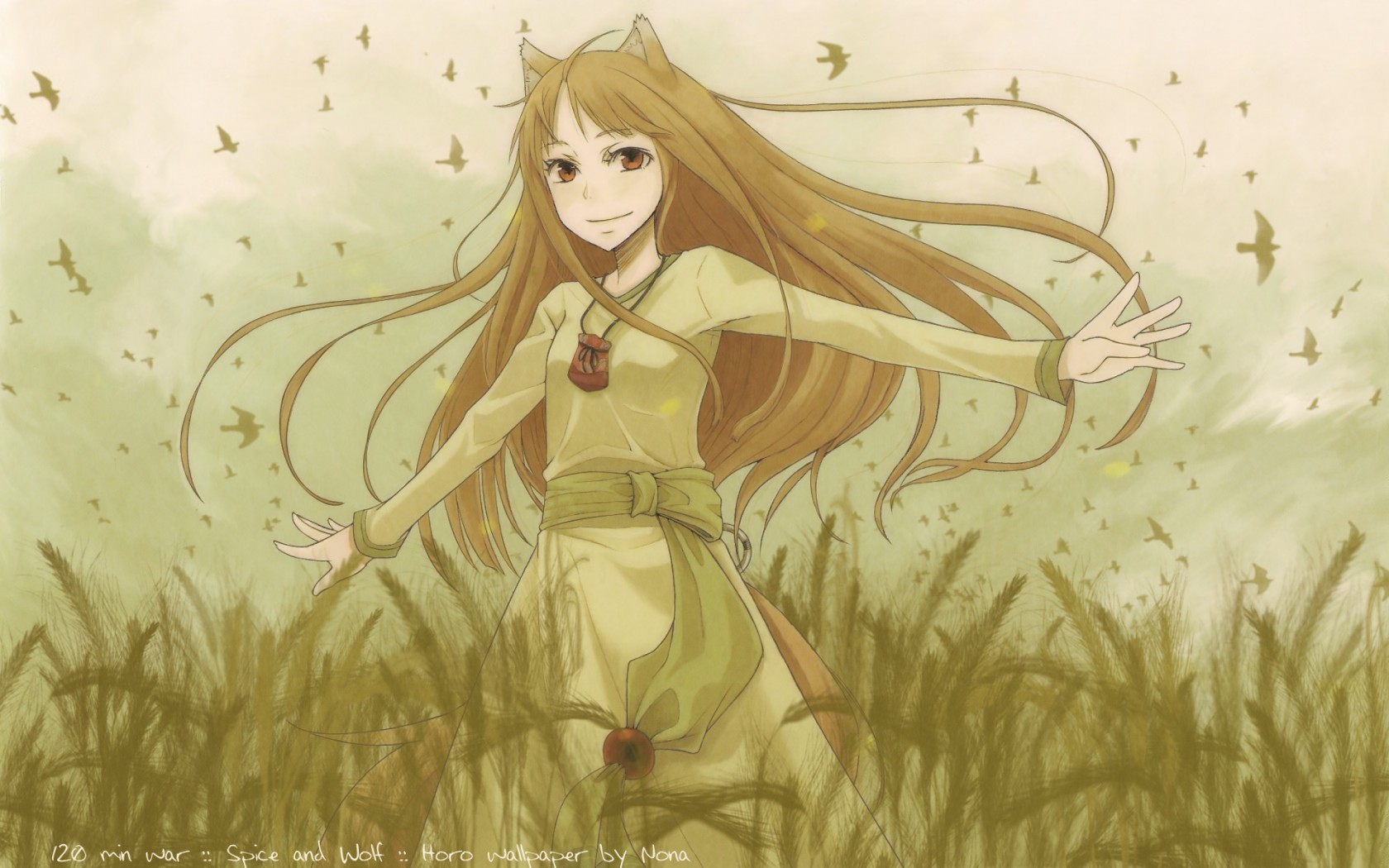
I’ll be doing another post soon that will be filled with what is, and isn’t, working with Windows 7.

└ Tags: goriki, haruhi, horo, life, micca
1 Comment

Computer Woes….

by Rindis on February 9, 2009 at 1:24 pm
Posted In: Life

It all started last November.

Shortly after that adventure, I started having problems with Haruhi again. Occasionally, she would have trouble making the leap from BIOS to OS. Sometimes the initial boot would go fine, and when it got to the point where the initial Windows 2000 start screen should come up (the text mode one right before the initial graphic screen) nothing would happen, and I’d have a blank screen—that the monitor still reported had a signal coming through.

This initially happened during my visit at my folk’s place. It eventually settled down, and stopped doing it… for a while. By mid-December, it had gotten fairly common, only to stop again during my two weeks off at the end of December, which I figured was probably lulling me into a false sense of complacency, but I let it go. As it turned out, I was right.

The general diagnosis was that either the boot sector of my main hard drive was damaged, or the drive controller on the motherboard was having trouble. …I wasn’t especially eager to consider replacing a motherboard.

Last Monday, Micca acted up. He’d been slowly accumulating a couple of boot-quirks, but was working fine. Then he suddenly started throwing multiple error messages on boot. Clearing those was possible, but they’d come back after a minute or two. After some fiddling around, I found that IE was not in good shape, and fixing that stopped the error messages. …And let some adware that’d gotten in somehow start IE every minute or two…. >.< Either the system was broken in other ways, or the adware was particularly bad, since I had trouble downloading anything to remove it. In the end, I did a wipe and reinstall of Windows (which is why we keep our data somewhere other than drive C…).

Meanwhile, Smudge was on my computer, and WoW died. Bad. When I finally got to the point where I could look at it, it seemed a fairly simple fix, and I got Haruhi back in shape. Wednesday, I tried to use Excel and the wheels came off the wagon. The system struggled valiantly on, but it was obvious that something bad had happened. The biggest shock was when I looked at the file system and found most (but not all) of the contents of my F: drive residing on D:…. I’d gone a bit overboard when setting up Haruhi for projects that never happened, but this was really, really bad, and indicated that both physical hard drives were corrupted.

The next few days were spent moving as much as I could onto the house NAS for later recovery. As you might imagine, a fair number of corrupted files showed up, though generally not in the most critical places.

As of Friday, I was building a new temporary replacement machine: Goriki. This was based off of the parts from the machine that Drew donated that hadn’t been used in Haruhi. Assembly and install went pretty well, and I was at least partially back in business that night. Sunday, I swapped the RAM and processor over from Haruhi, making it almost as good as she was. Sadly, there’s no SATA on that motherboard, so I’m stuck with a CD drive.

While all this was going on, there were rumblings from a friend of bringing over some leftover computer parts from the last time he was trying to diagnose and fix a problem. With Haruhi having just gone down for the count, I sort of pressured that into actually happening, you know, soon.

He never does things by halves. I need some RAM, and some cables, and perhaps a new drive, to put it all together. I’ll be doing more with that over the next couple weekends. The part that I was not expecting was the two monitors, a 22″ widescreen and a 24″ widescreen.

So, I’ve claimed the 22″, Smudge will probably end up with two monitors, and I’m not sure about the rest of the shakeout past that.

└ Tags: goriki, haruhi, life, micca
1 Comment

Breakdown in the Fast Lane

by Rindis on November 24, 2008 at 11:44 am
Posted In: Life

A few days ago, I was gifted/donated a computer. It would have been thrown out otherwise, and featured a better processor than I have, so I was happy to take it.

Examination waited for the weekend. Physical work waited for Sunday, as I had to get a longer-shaft phillips as the heat sink was screwed into place, and I needed to thread through the fan blades, and on one side needed clearance for an adjacent support bar of the case.

Mostly it’s a wash. I haven’t been able to determine the type of video card it has (has an nVidia logo, but none of the various serial numbers or part numbers have turned up anything in a search). The board is direct from Intel, and should be pretty solid, but it has no SATA ports that I can observe, and only 1 GB of RAM on board (my system has two). However, my current processor is an early 2 GHz Pentium 4 (second generation, the first Socket 478 chips), and this had a late-model 3.4 GHz Pentium 4. As my motherboard is comparatively recent (bought new when I built Haruhi a couple years ago), it is capable handling the chip (which is still on the same socket).

Or, at least, its supposed to be able to take it.

The swap out of chips between the two systems went very well. The only problem was that when I tried swapping out the graphics card, to identify the new one, I got a bunch of errors. I figured it was just a problem with that, deferred it to a later date, and started testing the new chip.

It’s surprisingly good. WoW has never been great on Haruhi, and as Blizzard has been adding more flash to combats and upgrading the graphics engine, its been getting slower. After getting the boost to 2GB of RAM, the primary culprit was the aging GeForce 6200. But with the new processor, WoW was looking pretty good. I still need to try out some of the places that were really causing problems, but some initial tests in places that had lots of NPCs around (the practicing swordsmen in Shattrath have been the bane of this computer) looked really good.

For about 5 hours. Then WoW crashed.

I’ve had crashes like this one before. In fact, I had them about 3-4 times a week at one point. But WoW crashed again a few minutes later, and the system rebooted.

BSOD on reboot. Screen full of errors on boot to Safe Mode (failed). BSOD on boot to the Win2000 console straight off the CD.

At that point I knew I was in big trouble. I tried all sorts things: disconnecting the hard drives, swapping out RAM…. BIOS reported the chip was nice and cool. The original error is pretty rare. The only references I could find to it were on sites in Japanese or Czech. Other errors (it started cycling through a number of BSOD errors) were clustering around the primary buses, and made me worried that I might have actually blown my board.

One thought was that I might need a BIOS update for the board to handle the new chip. However, MSI has put all their updates under a new updating system that means you don’t have to go through the entire process of flashing the BIOS through a floppy (which is exactly what I wanted to do), and it does a nice job of auto-detecting your board and current BIOS version. But you have to be able to boot the system for that, and they don’t let you at any of the support materials for other equipment….

So, finally I swapped the chips back. Maybe Haruhi would work again. If not, I could get the other box running and transfer my data hard drive over to it.

Haruhi booted.

This was a relief, if still annoying. Checking with MSI showed that I had the latest BIOS, but my chipset drivers were old. Since that would impact the types of things going on here, I updated them, and pulled Haruhi apart for one final try.

So far, so good. Considering the amount of time it took for the original collapse, I’m only cautiously optimistic, but with any luck, I’ve got it beat. I’m a little concerned about if I ever need rebuild the install from scratch…. And the plan is to build the new machine (with the old chip) into a backup machine, and then I’ll get rid of Utena, which has been sitting in a corner in case anything bad happens to one of the main machines.

└ Tags: haruhi, life
1 Comment

Two Failures for the Price of One!

by Rindis on August 29, 2008 at 8:14 pm
Posted In: Life

So, many moons ago, my CD-ROM drive (yes, really) started having problems. Not recognizing disks correctly, thinking that the drive had been removed from the system (like a flash drive) in the middle of an operation.

Finally, a couple months back, it just stopped recognizing disks altogether. Thankfully, I haven’t been using it for much. The main games I play are WoW and VASL, and neither of those need a disk in the drive. But, it’s a heck of a thing to be without.

So, today, I finally went out to get a replacement. After hemming and hawing for a while, I finally went for the most expensive option short of a Blu-Ray drive–$45. Only it turned out to be on sale for $35. ^_^

And a good thing too, because Smudge has been having some minor trouble with her DVD burner for a bit now. And while some of it was different, some of it also sounded like the same symptoms I’d had. When we got back, she started to print out a file. Font missing–sigh, dig out Corel for the font.

And the drive wouldn’t recognize the disk at all. Her’s had decided to go kaput at a most annoying time.

So, now both Micca and Haruhi have brand new Asus DRW-2014L1T drives. They can burn +/- R and RW, +/- R dual layer, DVD-RAM, and can use LightScribe, which allows the drive to burn a label onto the disk (assuming the disk can do that).

Farewell, Pioneer 12X, you’ve been a very good drive, being my first computer equipment purchase, lasting 12 years and six systems: Nausicaä, Little Washu, Washu, Isamene, Utena, and Haruhi.

As for Smudge’s TDK drive, it lasted three years and came with system-corrupting Roxio software. I’m not buying their products anymore.

└ Tags: haruhi, life, micca
 Comment 

New Computer!

by Rindis on June 5, 2006 at 11:22 pm
Posted In: Life

Once again, it’s taking me entirely too long to get this written down. However, there was some doubt for a while whether the story was truly over….

Part of the plan for this year, especially after building Micca for Smudge, was to filter the goodness down, and upgrade the other PC’s around the house. I put this off for a variety of reasons for a bit, but finally decided to get going on the replacement for my old system the Friday before Memorial Day.

The basic plan was to take the good parts from Sunshine, the worst of the current systems (being a rebuilt HP system), and replace the bad parts with new ones, making a competent system that would be a good upgrade from my current Utena (PIII-550; decidedly aged these days). I actually already had a new case, having gotten one of the same great deals as Micca’s when I put him together.

So, off to Micro Center for a new motherboard and video card. Socket 478 (second generation P4) boards aren’t exactly common anymore, so I had to do quite a bit of hunting just to come up with a couple possibilities. After finding a pretty good one, I noticed the next variant up sitting next to it for $5 more. Looking it over, I found what I got for five bucks was gigabit Ethernet instead of just fast Ethernet. So I got it and went home. Fortunately for me, I immediately opened it up, so I discovered the hidden problem. There were two differences; it turns out that the ‘minor variation’ also changed Socket types….

So back to Micro Center and the cheaper board. I think I spent my ‘savings’ in gas.

After that, things went smoothly enough, with final assembly happening late Sunday (after FanimeCon was done). Initially, things seemed fine. But I found that the first IDE chain was occasionally dropping the boot hard drive in the middle of operation… once in the middle of a write operation, and corrupted the disk. Some tweaking stabilized the situation, somewhat. Instead of hours, the drive lasted two days before managing to blow away the entire directory structure. It was an older drive, and may have just been failing (I don’t particularly care to find out, and this may have wrecked it anyway), but it seems the problem was putting two ancient drives on one E-IDE chain. The boot drive and the CD-ROM were occasionally colliding and crashing the chain. After replacing the hard drive with a more modern one, and placing it on the same chain as the other hard drive, it’s now gone most of a week without a single hardware hiccup.

So, meet Haruhi:
MSI PM8M-V motherboard
Pentium 4 2GHz processor
512 MB DDR RAM
12x Pioneer CD-ROM (still chugging away after 11 years…)
EVGA GeForce 6200 (256 MB)
Approx. 100 GB HD space

WoW performance is a little sub-par, but workable (it’s pretty obvious that the chip’s a little low, but the memory is great). I’m still tweaking with the settings a bit. Everything else is very nice. The motherboard also has two SATA slots on it, so if I get an urge to get a new hard drive, I can get one that can make the transition to the next generation of system.

Edit: And I had meant to say that this little exercise set me back about $180 total. Most of the new system was existing parts.

└ Tags: haruhi, life
 Comment 

©2005-2026 Rindis.com | Powered by WordPress with ComicPress | Hosted on Rindis Hobby Den | Subscribe: RSS | Back to Top ↑